
Understanding SortOrder Configuration for Command Export
When exporting the Data in SE, it's often important to control the order in which those columns are exported. This is where the SortOrder property becomes useful.
How Sort Order works in Sequentum Enterprise
The SortOrder value determines the sequence in which command values are exported. It functions as a simple numeric ordering system. If a command has SortOrder=1, then its value (data column) will be placed first in the exported file, SortOrder=2 will be placed second, and so on. This allows you to have precise control over the export order of various command sets.
For instance, assigning values such as 1, 2, 3, 4, 5, etc., ensures that the command values are exported in exactly that order. If the values are not sequential or are assigned arbitrarily, the system will still follow the numerical order of the SortOrder values, regardless of their spacing.
By default the SortOrder value is set as 1000 for all the command values which means the Exported columns will be generated in the same order in which it is present in the agent.
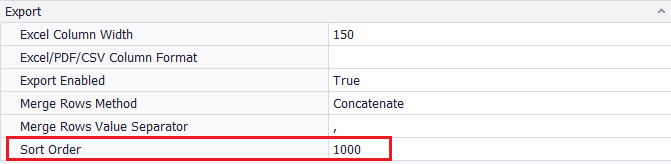
Example Configuration
Below is an example of how the SortOrder property value can be set for different columns in a configuration file:
[FindAll("col_name1").Set]
SortOrder=10

[FindAll("col_name2").Set]
SortOrder=11

[FindAll("col_name3").Set]
SortOrder=12

[FindAll("col_name4").Set]
SortOrder=13
In this example, the command associated with col_name1 will be exported first (among these), followed by col_name2, then col_name3, and finally col_name4.
Even though the SortOrder values start from 10 instead of 1, the order is still respected based on the ascending numerical values